- Home Page /
- Electronics /
- Computer Accessories /
- Computer Accessories & Peripherals /
- Input Devices /
- Graphics Tablets /
- XPPen Updated Deco 01 V3 Drawing Tablet-16384...
0 ratings


Item #:
46703122
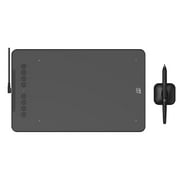
XPPen Updated Deco 01 V3 Drawing Tablet-16384 Levels of Pressure Battery-Free Stylus, 10x6 Inch OSU Graphic Tablet, 8 Hotkeys for Digital Art,
Item #:
46703122
AUD 99
Price Details
Excluding Shipping & Custom charges ( Shipping and custom charges will be calculated on checkout )
*All items will import from US
Afterpay Information

Split your bill into 4 payments of AUD 24.75 interest-free
 Add the item to your cart
 Select Afterpay at checkout
 Fill in your details
 Complete your first payment
and pay the remaining in easy instalments or according to the payment plan you selected
Here’s why you should Afterpay it

Get everything you need now..
Shop thousands of brands and millions of products, online and in-store.

Pay over six weeks.
Make the first payment upfront and the rest over time. Always interest-free when you pay it in 4.

No fees when you pay on time.
We’ll send you reminders and cap late payments to help you get back on track.
(1) Terms and conditions. apply. (2) Installment Agreement. (3) Eligible for customers in. Australia, (4) Your final payment plan may vary depending on your credit history.
0 ratings
Write a review
In stock
 Imported from USA store
QTY:
Order now and get it around Wednesday, July 08
Secured transaction
Ubuy works hard to protect your security and privacy. Our advanced payment security system ensures confidentiality by encrypting your information during transmission using AES (Advanced Encryption Standards) and SSL (Secure Socket Layer) protocols. Your payment details are 100% secure as we do not share your payment details with third party sellers.
Our Top Logistics Partners


Customize your shortcut keys to tailor your own unique experience.

Buy Now Pay Later

Fast
Shipping

Free
Return*

Secure Packaging

100% Original Products

PCI DSS Compliance

ISO 27001 Certified


Note: Step Down Voltage Transformer required for using electronics products of US store (110-120). Recommended power converters Buy Now.


What Stands Out
High Pressure Sensitivity
With 16,384 levels of pressure sensitivity, the XPPen Deco 01 V3 allows for precise and nuanced strokes, making it ideal for digital artists who require accuracy in their creative work.
Battery-Free Stylus
The included battery-free stylus eliminates the need for charging, ensuring uninterrupted workflow, perfect for long creative sessions in digital art, teaching, or gaming applications.
Customizable Hotkeys
Eight customizable hotkeys enhance productivity by allowing users to quickly access frequently used functions, streamlining tasks across various platforms including Chrome, PC, Mac, and Android.
Product Details
- 7x4.37 inch active area with 8192 levels of pressure sensitivity and ±60° tilt sensitivity
- 8 customizable shortcut keys and a well-balanced drawing surface texture
- Comes with a Battery-Free Passive Stylus P05D that supports Android 6.0 (and higher) and Chrome OS 88.0.4324.109 or above
- Compatibility with Windows 7 and above, Mac OS X 10.10 (and higher), and Android 6.0 (and higher); connects to Android devices with included OTG connector
- Special support for OSU! gamers, no driver software needed for OSU!; not compatible with iPhone and iPad
- 1 Year Protection Plan, lifetime XP-PEN service, and dedicated customer support available
| Item Weight | 1.5 lbs (680 grams) |
Dangerous Goods
To avoid the delay in customs clearance process for Dangerous Goods, the shipment shall be opened at our warehouse facility to check the severity of hazardous components. Please see the list of Dangerous goods here.
Who Should Buy?

-
Digital Artists
Ideal for digital artists seeking precision and versatility in their work with a high-pressure sensitivity level.
-
Teachers & Educators
Great for teachers who utilize digital tools for teaching, allowing interactive lessons and engaging presentations.
-
Gamers & Streamers
Perfect for gamers who dabble in digital art, providing tools to enhance game graphics and custom visuals.

-
Casual Hobbyists
Not suitable for casual users seeking simple, straightforward drawing tools without the need for advanced features.
-
High-End Professionals
May lack advanced features required by seasoned professionals who need more extensive customization and higher performance.
-
Mobile-Only Users
Limited functionality for users who primarily work on mobile platforms, as it does not cater as effectively to touch interfaces.
Product Description
XPPen Updated Deco 01 V3 Drawing Tablet-16384 Levels of Pressure Battery-Free Stylus, 10x6 Inch OSU Graphic Tablet, 8 Hotkeys for Digital Art, Teaching, Gaming Drawing Pad for Chrome, PC, Mac, Android
Have any Query? Chat with us
Customer Questions & Answers
-
Question:
What are the key features of the XPPen Updated Deco 01 V3 Drawing Tablet?
Answer: The XPPen Updated Deco 01 V3 Drawing Tablet boasts 16,384 levels of pressure sensitivity which provides a highly responsive drawing experience. It has a large active area of 10x6 inches, making it suitable for detailed work. The battery-free stylus eliminates the need for charging, ensuring uninterrupted creativity. Additionally, the tablet is equipped with 8 customizable hotkeys, streamlining your workflow by allowing quick access to your favorite functions. This combination of features makes it ideal for digital artists, illustrators, and gamers alike. -
Question:
How does the pressure sensitivity of the stylus enhance drawing experiences?
Answer: The tablet's 16,384 levels of pressure sensitivity allows for precise line thickness variations based on how hard you press the stylus against the tablet. This feature enhances your drawing experience by mimicking traditional tools such as pencils and brushes. Artists can effortlessly create detailed artwork, add depth to illustrations, and transition between soft and bold lines with control. Whether sketching, painting, or gaming, users find that this feature significantly improves their overall creative ability and fluidity. -
Question:
Is the XPPen Updated Deco 01 V3 compatible with multiple operating systems?
Answer: Yes, the XPPen Updated Deco 01 V3 Drawing Tablet is compatible with various operating systems, including Windows, macOS, and Linux. Users can seamlessly connect the tablet to their devices without worrying about software compatibility issues. This flexibility allows for a broader range of applications, from professional graphic design software to casual gaming. Regardless of your preferred OS, you'll enjoy a consistent and responsive performance. -
Question:
What type of users is the XPPen Updated Deco 01 V3 best suited for?
Answer: The XPPen Updated Deco 01 V3 is ideal for a range of users including professional artists, students, graphic designers, and hobbyists. Its advanced features cater to professional-grade work while being user-friendly enough for beginners. Whether you’re creating intricate digital art, engaging in professional design projects, or simply doodling for fun, this tablet accommodates all skill levels and offers versatility across numerous creative disciplines. -
Question:
What does the battery-free stylus mean for users?
Answer: The battery-free stylus design means that users do not need to charge or replace batteries, which simplifies the drawing process. It allows for an uninterrupted creative flow, as artists can start drawing without the worry of battery life. This feature is particularly beneficial during long sessions, with many users appreciating the light weight and ease of use, enhancing overall comfort during extended periods of work. -
Question:
How do the 8 hotkeys improve workflow for digital artists?
Answer: The 8 customizable hotkeys on the XPPen Updated Deco 01 V3 Drawing Tablet can be programmed for functions like undo, redo, zoom, and switch tools, significantly improving workflow efficiency. This customization allows artists to save time by quickly accessing their most-used commands without needing to navigate menus. This is particularly advantageous during detailed work where efficiency can greatly enhance the creative process. -
Question:
Can I use the Deco 01 V3 for OSU gaming?
Answer: Yes, the XPPen Updated Deco 01 V3 is widely used among OSU players due to its responsive pressure sensitivity and large active area. The tablet's specifications cater to the precision required in rhythm games, allowing players to execute accurate and quick movements with ease. The combination of customizable hotkeys can also be set for game commands, giving gamers an edge in performance. -
Question:
What types of software are compatible with the XPPen Deco 01 V3?
Answer: The XPPen Updated Deco 01 V3 works seamlessly with various popular digital art software like Adobe Photoshop, Illustrator, CorelDRAW, and more. It supports numerous applications tailored for graphic design, animation, and gaming. Because it connects easily with different programs, artists can find their preferred software to maximize their creative output and productivity. -
Question:
Where can I buy the XPPen Updated Deco 01 V3 Drawing Tablet in Australia?
Answer: You can purchase the XPPen Updated Deco 01 V3 Drawing Tablet from Ubuy. Ubuy offers a convenient shopping experience for electronics and accessories, including this highly-rated drawing tablet. With various options available to suit your needs, Ubuy ensures quality products are accessible, making it a reliable choice for art tools. -
Question:
What accessories are recommended for use with the Deco 01 V3?
Answer: While the XPPen Updated Deco 01 V3 Drawing Tablet comes with a stylus, users may consider additional accessories for enhanced functionality. A comfortable tablet stand can improve ergonomics during long drawing sessions. A screen protector helps maintain the tablet's surface, while a carrying case allows for safe transport. These accessories can complement the tablet and create a more enjoyable and user-friendly drawing experience.
XP-Pen Graphics Tablets Editorial Review
No editorial reviews found
Customer Reviews & Ratings
1 customers ratings
-
5 Star
0%
-
4 Star
100%
-
3 Star
0%
-
2 Star
0%
-
1 Star
0%
Review this product
Share your thoughts with other customers
Platform Trust & Buyer Confidence

JB
Jane
Verified buyer
“Great continuous communication. Packaged well. Arrived promptly.”
12 June 2026 · via Trustpilot
MM
MAV MTBLife
Verified buyer
“1st buy, Ubuy. Shopping made easy if you don't mind the international shipping cost. Bought the product I wanted and the shipping was fast. I look forward for next shopping☺️”
10 June 2026 · via Trustpilot
AP
amanda
Verified buyer
“Great communication, prompt delivery.”
7 June 2026 · via Trustpilot
DD
Disa
Verified buyer
“I'm getting used to an excellent buyer experience with Ubuy and have begun to rely on them for any purchases I make in the US.”
5 June 2026 · via Trustpilot
KB
Katie
Verified buyer
“Delivery was prompt, with many updates along the way.”
23 May 2026 · via Trustpilot
Secure Checkout
Global Delivery
Easy Returns
Genuine Products
Top selling XPPen Deco 01 V2 in Australia




Last Updated on June 29, 2026
Product Price History
Important information
- Limitations : For products shipped internationally, please note that any manufacturer warranty may not be valid; manufacturer service options may not be available; product manuals, instructions, and safety warnings may not be in destination country languages; the products (and accompanying materials) may not be designed in accordance with destination country standards, specifications, and labeling requirements; and the products may not conform to destination country voltage and other electrical standards (requiring use of an adapter or converter if appropriate). The recipient is responsible for assuring that the product can be lawfully imported to the destination country. When ordering from Ubuy or its affiliates, the recipient is the importer of record and must comply with all laws and regulations of the destination country.
- Not all the products listed on Ubuy are for sale, as Ubuy is a global search engine. Products are subject to export/trade regulations.
AUD 99
Order now and get it around Wednesday, July 08
This item is not restrict in my country.(Please click on above link if this item is not restrict in your country, So our team will review and allow.)
QTY:
Secured transaction
Ubuy works hard to protect your security and privacy. Our advanced payment security system ensures confidentiality by encrypting your information during transmission using AES (Advanced Encryption Standards) and SSL (Secure Socket Layer) protocols. Your payment details are 100% secure as we do not share your payment details with third party sellers.
Our Top Logistics Partners
Fastest cross-border delivery
Features & Benefits
- Deco Mini7 Drawing Tablet with 8192 Levels Pressure
- 7 x 4 inch Artist Pen Tablet
- 8 Customized Press Keys
- Accurate Pen Performance with Battery-Free Passive Stylus
- Compatibility with Windows, Mac, Android, and Chrome OS
- Support for OSU! Gamer with Battery-Free Sensitive Brush