- Home Page /
- Electronics /
- Computer Accessories /
- Tablet Replacement Parts /
- Screens /
- LCD Display Digitizer Touch Screen Replacemen...
0 ratings




Item #:
70391701
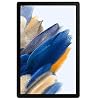
LCD Display Digitizer Touch Screen Replacement for Samsung Galaxy Tablet Tab A8 10.5 2021 SM-X200, SM-X205 LCD Display Digitizer Touch Screen
Item #:
70391701
AUD 75
Price Details
Excluding Shipping & Custom charges ( Shipping and custom charges will be calculated on checkout )
*All items will import from US
Afterpay Information

Split your bill into 4 payments of AUD 18.75 interest-free
 Add the item to your cart
 Select Afterpay at checkout
 Fill in your details
 Complete your first payment
and pay the remaining in easy instalments or according to the payment plan you selected
Here’s why you should Afterpay it

Get everything you need now..
Shop thousands of brands and millions of products, online and in-store.

Pay over six weeks.
Make the first payment upfront and the rest over time. Always interest-free when you pay it in 4.

No fees when you pay on time.
We’ll send you reminders and cap late payments to help you get back on track.
(1) Terms and conditions. apply. (2) Installment Agreement. (3) Eligible for customers in. Australia, (4) Your final payment plan may vary depending on your credit history.
0 ratings
Write a review
In stock
 Imported from USA store
QTY:
Order now and get it around Friday, June 26
Secured transaction
Ubuy works hard to protect your security and privacy. Our advanced payment security system ensures confidentiality by encrypting your information during transmission using AES (Advanced Encryption Standards) and SSL (Secure Socket Layer) protocols. Your payment details are 100% secure as we do not share your payment details with third party sellers.
Our Top Logistics Partners


Brand New HQB-STAR LCD Display Digitizer Touch Screen Replacement for Samsung Galaxy Tablet Tab A8 10.5 2021, SM-X200, SM-X205

Buy Now Pay Later

Fast
Shipping

Free
Return*

Secure Packaging

100% Original Products

PCI DSS Compliance

ISO 27001 Certified


Note: Step Down Voltage Transformer required for using electronics products of US store (110-120). Recommended power converters Buy Now.


What Stands Out
High-Quality Display
Experience vibrant colors and sharp images with this top-tier LCD display designed specifically for the Samsung Galaxy Tab A8, enhancing your viewing experience.
Easy Installation
The assembly kit includes all necessary tools, allowing users to replace the screen quickly and efficiently without professional help, saving time and money.
Durable Design
Crafted with robust materials, this digitizer ensures long-lasting performance and resistance against everyday wear and tear, providing exceptional value to users.
Product Details
- 【Compatibility】for Samsung Galaxy Tablet Tab A8 10.5 2021 SM-X200, SM-X205 ,Brand New Item with High Quality ,It can replace your broken device well.
- Instruction is NOT included.This is NOT an easy job for someone who has no technical skills with disassembling or assembling cellphones / mobile phones/Tablets.
- The real machine is tested three times to ensure that the screen has no dead pixels, no bright spots, and no dark spots.
- Please order the right one you need. Please check the model or Type or color category carefully when you choose the item.
- Package Include: 1 x LCD Display Touch Screen Digitizer Assembly Replacement 1 x Tool Kit (It's Only gift ,No returns or refunds are acceptable).
- The kit includes double-sided tape, but for better results, I recommend using B-700 glue to fix the screen.
| Package Dimensions | 11.5 x 7.6 x 1.77 inches (29.2 x 19.3 x 4.5 cm) |
| Item Weight | 15.5 ounces (439.43 grams) |
| Manufacturer | HQB-STAR |
| Date First Available | June 20, 2022 |
Who Should Buy?

-
Repair Enthusiasts
Ideal for users comfortable with DIY repairs, offering a cost-effective solution to replace broken screens.
-
Budget-Conscious Users
Perfect for those looking to save money by repairing their device instead of purchasing a new tablet.
-
Tech-Savvy Individuals
Best suited for users familiar with tablet components and warranty implications of third-party replacements.

-
Beginner Users
Not suitable for individuals unfamiliar with electronics, as installation can be complicated without proper tools.
-
Warranty Seekers
Users looking to maintain warranty coverage should avoid third-party replacements that can void manufacturer warranties.
-
Non-Samsung Devices
This product is specifically designed for Samsung Galaxy Tab A8; it won't fit other devices or brands.
Product Description
Have any Query? Chat with us
Customer Questions & Answers
-
Question:
What is included in the LCD Display Digitizer Touch Screen Replacement kit for Samsung Galaxy Tablet A8?
Answer: The kit includes a high-quality LCD display digitizer touch screen assembly specifically designed for the Samsung Galaxy Tab A8 10.5 2021 models SM-X200 and SM-X205. This ensures a perfect fit and functionality for your tablet. Additionally, it may come with tools such as adhesive strips and suction cups to facilitate the installation process. This product is essential for anyone looking to restore their tablet's original display performance, whether due to cracks, dead pixels, or functionality issues. -
Question:
How do I install the LCD Display Digitizer for my Samsung Galaxy Tab A8?
Answer: Installing the LCD Display Digitizer involves several steps, starting with powering off the tablet and carefully removing the old screen using provided tools. It's crucial to follow a detailed guide or watch tutorial videos to prevent damage. After removing the old screen, place the new digitizer, ensuring all connectors are aligned correctly. Fix the assembly in place with the adhesive provided. This process restores your tablet's display and touch functionalities, making it perfect for users seeking DIY repair options or enhancing device longevity. -
Question:
Is the LCD Display Digitizer compatible with other Samsung Galaxy Tablet models?
Answer: No, the LCD Display Digitizer Touch Screen Replacement is specifically designed for the Samsung Galaxy Tab A8 10.5 2021 models SM-X200 and SM-X205. While other Samsung tablets may have similar specifications, the dimensions and connector placements can vary significantly. Using a non-compatible screen could lead to installation issues or poor performance. If you have a different tablet model, it’s important to look for a specific replacement to ensure the best functionality and fit. -
Question:
What can I do if my tablet screen is unresponsive even after replacement?
Answer: If your tablet screen remains unresponsive post-replacement, double-check all connections during installation for proper alignment and secure fitting. It's also advisable to restart the tablet after the installation to reset the screen functionalities. In some cases, software issues could lead to unresponsiveness; updating or restoring the tablet's system software might resolve the problem. Ensuring your tools are well-suited for installation can prevent mishaps, and consulting professional help may be necessary if software approaches fail. -
Question:
What are the signs that I need to replace my Samsung Galaxy Tab A8 screen?
Answer: Common indicators for needing a screen replacement include visible cracks, flickering, unresponsive areas, or discoloration on the display. If you notice any of these issues affecting your device usability, it’s advisable to consider a replacement to restore both aesthetic appeal and functionality. Addressing these signs promptly not only enhances the user experience but also prevents potential further damage to internal components that could arise from a compromised screen. -
Question:
Can I replace the screen myself, or should I seek professional help?
Answer: Replacing the screen can be a doable DIY project for those with some technical experience, particularly if you follow reliable guides or videos. However, if you’re not confident in your skills or if the tablet has sustained extensive damage, seeking professional assistance is advisable. This ensures proper handling of your device and prevents inadvertent damages. A professional repair service can provide expertise and save time for those who prefer hassle-free solutions. -
Question:
What tools do I need to replace the Samsung Galaxy Tab A8 screen?
Answer: Key tools required for replacing the Samsung Galaxy Tab A8 screen typically include a suction cup, tweezers, and various plastic prying tools. Additionally, a heat gun or hairdryer can be helpful for loosening adhesive. Ensuring you have the right tools is vital in removing the old screen without damaging the device. Proper tools not only streamline the installation process but minimize the risk of damage during repairs, making the project much smoother. -
Question:
How does the quality of the replacement screen compare to the original?
Answer: The replacement screen for the Samsung Galaxy Tab A8 is typically manufactured to match or exceed the original specifications, ensuring comparable performance. Many replacements are made with high-quality materials to provide durability and excellent touch sensitivity, similar to the original screen. This quality assurance allows users to maintain their device's visual and functional integrity. Investing in a reliable replacement greatly impacts your overall satisfaction and extends the usability of your tablet. -
Question:
Where can I buy the LCD Display Digitizer Touch Screen Replacement in Australia?
Answer: You can buy the LCD Display Digitizer Touch Screen Replacement for the Samsung Galaxy Tab A8 10.5 2021 models SM-X200 and SM-X205 at Ubuy, an online shopping platform that offers a variety of electronic parts including high-quality digitizers. Ubuy provides a user-friendly interface to help you locate and purchase the specific replacement parts you need for a seamless repair experience. Its selection makes it easy for customers to find compatible products and access additional features to support their shopping needs. -
Question:
Are there any specific care instructions after replacing the screen?
Answer: Post-replacement, it's advisable to handle your tablet with care especially during the first few days, allowing the adhesives used to set properly. Avoid exposing the device to excessive heat or moisture, and consider using a protective case to safeguard against future impacts. Regularly clean the screen with a microfiber cloth to eliminate dust and grease yet avoid harsh chemicals. These measures ensure the longevity of the new screen and enhance overall device performance.
HQB-STAR Screens Editorial Review


The HQB-STAR LCD Display Digitizer Touch Screen Replacement for Samsung Galaxy Tablet Tab A8 10.5 2021 SM-X200, SM-X205 has elicited mixed customer experiences. While some users have successfully installed the screen and found it to work perfectly, others have encountered issues such as unresponsive touch functionality and lag with images. The included tools and adhesion strips were appreciated, as was the inclusion of a screen protector. However, the non-OEM quality of the screen and concerns about long-term durability were noted. One user reported that after installation, they had to restart the tablet due to digitizer freezing, but found it to work well afterward. It was also mentioned that the S Pen did not work after installation. Overall, it seems that the product offers a budget-friendly solution for replacing a damaged screen on a Samsung Galaxy tablet, but users should be aware of potential issues with touch responsiveness and image quality. While it may not match the quality of the original screen, it seems to serve its purpose and can extend the lifespan of the tablet, particularly for users seeking a cost-effective option.
Customer Reviews & Ratings
82 customers ratings
-
5 Star
61%
-
4 Star
16%
-
3 Star
7%
-
2 Star
3%
-
1 Star
13%
Review this product
Share your thoughts with other customers
Pros
- Included tools and adhesion strips
- Screen protector included
- Budget-friendly
Cons
- Non-OEM quality
Product Price History
Important information
- Limitations : For products shipped internationally, please note that any manufacturer warranty may not be valid; manufacturer service options may not be available; product manuals, instructions, and safety warnings may not be in destination country languages; the products (and accompanying materials) may not be designed in accordance with destination country standards, specifications, and labeling requirements; and the products may not conform to destination country voltage and other electrical standards (requiring use of an adapter or converter if appropriate). The recipient is responsible for assuring that the product can be lawfully imported to the destination country. When ordering from Ubuy or its affiliates, the recipient is the importer of record and must comply with all laws and regulations of the destination country.
- Not all the products listed on Ubuy are for sale, as Ubuy is a global search engine. Products are subject to export/trade regulations.
AUD 75
Order now and get it around Friday, June 26
This item is not restrict in my country.(Please click on above link if this item is not restrict in your country, So our team will review and allow.)
QTY:
Secured transaction
Ubuy works hard to protect your security and privacy. Our advanced payment security system ensures confidentiality by encrypting your information during transmission using AES (Advanced Encryption Standards) and SSL (Secure Socket Layer) protocols. Your payment details are 100% secure as we do not share your payment details with third party sellers.
Our Top Logistics Partners
Fastest cross-border delivery
Features & Benefits
- High-quality replacement for broken device
- Compatibility with specific Samsung models
- Triple tested to ensure no dead pixels, bright or dark spots
- Comes with a free tool kit
- No returns or refunds allowed
- Instruction not included, requires technical skills for assembly or disassembly