- Home Page /
- Books /
- Computers & Technology /
- Hardware & DIY /
- Amazon Fire TV Stick 4K: A Complete User Guide to Setup...

Item #:
83758530
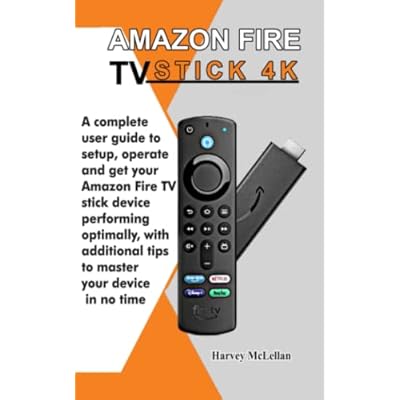
Amazon Fire TV Stick 4K: A Complete User Guide to Setup, Operate and Get Your Amazon Fire TV Stick Device Performing Optimally, With Additional Tips
Item #:
83758530
AUD 33
Price Details
Excluding Shipping & Custom charges ( Shipping and custom charges will be calculated on checkout )
*All items will import from US
Afterpay Information

Split your bill into 4 payments of AUD 8.25 interest-free
 Add the item to your cart
 Select Afterpay at checkout
 Fill in your details
 Complete your first payment
and pay the remaining in easy instalments or according to the payment plan you selected
Here’s why you should Afterpay it

Get everything you need now..
Shop thousands of brands and millions of products, online and in-store.

Pay over six weeks.
Make the first payment upfront and the rest over time. Always interest-free when you pay it in 4.

No fees when you pay on time.
We’ll send you reminders and cap late payments to help you get back on track.
(1) Terms and conditions. apply. (2) Installment Agreement. (3) Eligible for customers in. Australia, (4) Your final payment plan may vary depending on your credit history.
0 ratings
Write a review
In stock
 Imported from USA store
QTY:
Order now and get it around Thursday, June 25
Secured transaction
Ubuy works hard to protect your security and privacy. Our advanced payment security system ensures confidentiality by encrypting your information during transmission using AES (Advanced Encryption Standards) and SSL (Secure Socket Layer) protocols. Your payment details are 100% secure as we do not share your payment details with third party sellers.
Our Top Logistics Partners


This book will help you explore every function of the Fire Stick, giving you a simple step-wise guide on how to perform them.

Buy Now Pay Later

Fast
Shipping

Free
Return*

Secure Packaging

100% Original Products

PCI DSS Compliance

ISO 27001 Certified


Note: Step Down Voltage Transformer required for using electronics products of US store (110-120). Recommended power converters Buy Now.


What Stands Out
4K Streaming Quality
Experience stunning 4K Ultra HD resolution, providing superior clarity and vivid colors that enhance your viewing experience, setting it apart from standard streaming devices.
Voice Remote Control
With the Alexa Voice Remote, users can easily search for shows, control playback, and manage smart home devices using just their voice, streamlining the entire entertainment experience.
Access to Content
The Fire TV Stick 4K offers unparalleled access to thousands of apps and channels, ensuring endless entertainment possibilities through popular streaming services like Netflix, Prime Video, and Hulu.
Product Details
| Item Weight | 0.4 lbs (180 grams) |
Who Should Buy?

-
New Users
Ideal for beginners unfamiliar with streaming devices and who need step-by-step setup instructions.
-
Tech Enthusiasts
Great for advanced users seeking tips to optimize their Fire TV Stick 4K performance and features.
-
Budget-Conscious Streamers
Useful for users looking for affordable ways to maximize their entertainment options using the Fire TV Stick.

-
Advanced Users
Experienced users may find the basic setup information redundant and not detailed enough for advanced troubleshooting.
-
Non-Tech Savvy
Users completely unfamiliar with technology might struggle with even basic instructions provided in the guide.
-
Specific Device Owners
Individuals seeking guidance for devices other than the Fire TV Stick 4K will not find applicable information.
Product Description
Amazon Fire TV Stick 4K: A Complete User Guide to Setup, Operate and Get Your Amazon Fire TV Stick Device Performing Optimally, With Additional Tips to Master Your Device in No Time Paperback June 21, 2022
Have any Query? Chat with us
Customer Questions & Answers
-
Question:
Does the Fire TV Stick 4K support voice control?
Answer: Yes, the Fire TV Stick 4K supports voice control through Alexa. By using the included voice remote or integrating with other Alexa-enabled devices, you can easily search for titles, manage playback, and control your smart home devices. This feature streamlines your viewing experience, making it convenient to find what you want to watch without scrolling through menus. Voice commands enhance accessibility, perfect for users who prefer hands-free operation. -
Question:
Can I use the Fire TV Stick 4K with my existing TV?
Answer: Absolutely! The Fire TV Stick 4K works with any TV that has an HDMI port. It’s an excellent solution for those who want to upgrade their standard TV experience without purchasing a new smart TV. This adaptability makes it a practical choice for various setups, whether it's in your living room, bedroom, or even a travel setup while on vacation. -
Question:
What should I do if my Fire TV Stick 4K is not working properly?
Answer: If your Fire TV Stick 4K is not functioning correctly, try restarting it by unplugging it from power for 10 seconds. You can also check for software updates in the settings menu. Resetting to factory settings can resolve persistent issues, but note that this will erase all of your installed apps and settings. These troubleshooting steps can help maintain optimal performance, especially during high-demand usage.
Hardware & DIY Editorial Review
The Amazon Fire TV Stick 4K has been met with positive reviews from users, with many praising its improved performance compared to older versions. Users have found it to be a good value for the money, making it a worthwhile investment. One reviewer mentioned that they use it to better understand how to use the Fire TV Stick, indicating its user-friendly interface. However, there have been some concerns raised about the lack of clear instructions on certain features, such as selecting favorites. Overall, the Amazon Fire TV Stick 4K is a solid choice for those looking to upgrade their streaming experience with enhanced performance and features. **
Customer Reviews & Ratings
1 customers ratings
-
5 Star
100%
-
4 Star
0%
-
3 Star
0%
-
2 Star
0%
-
1 Star
0%
Review this product
Share your thoughts with other customers
Pros
- Improved performance compared to older versions
- Good value for the money
- User-friendly interface
Cons
- Lack of clear instructions on certain features, such as selecting favorites
Product Price History
Important information
- Limitations : For products shipped internationally, please note that any manufacturer warranty may not be valid; manufacturer service options may not be available; product manuals, instructions, and safety warnings may not be in destination country languages; the products (and accompanying materials) may not be designed in accordance with destination country standards, specifications, and labeling requirements; and the products may not conform to destination country voltage and other electrical standards (requiring use of an adapter or converter if appropriate). The recipient is responsible for assuring that the product can be lawfully imported to the destination country. When ordering from Ubuy or its affiliates, the recipient is the importer of record and must comply with all laws and regulations of the destination country.
- Not all the products listed on Ubuy are for sale, as Ubuy is a global search engine. Products are subject to export/trade regulations.
AUD 33
Order now and get it around Thursday, June 25
This item is not restrict in my country.(Please click on above link if this item is not restrict in your country, So our team will review and allow.)
QTY:
Secured transaction
Ubuy works hard to protect your security and privacy. Our advanced payment security system ensures confidentiality by encrypting your information during transmission using AES (Advanced Encryption Standards) and SSL (Secure Socket Layer) protocols. Your payment details are 100% secure as we do not share your payment details with third party sellers.
Our Top Logistics Partners
Fastest cross-border delivery
Features & Benefits
- Explore every function of the Fire Stick
- Step-wise guide for easy understanding
- Learn about Alexa voice control
- Add Apps to your Fire TV home screen
- Activate subtitles and use 4K playback
- Set up parental controls